
An SFTP client for Mac with the destination in view.
A remote file operation needs a source, a destination and a clear host identity. All in Term places its SFTP workspace beside the connected server context so you can browse directories, transfer files, inspect text and compare folders without repeatedly rebuilding that context in another tool.
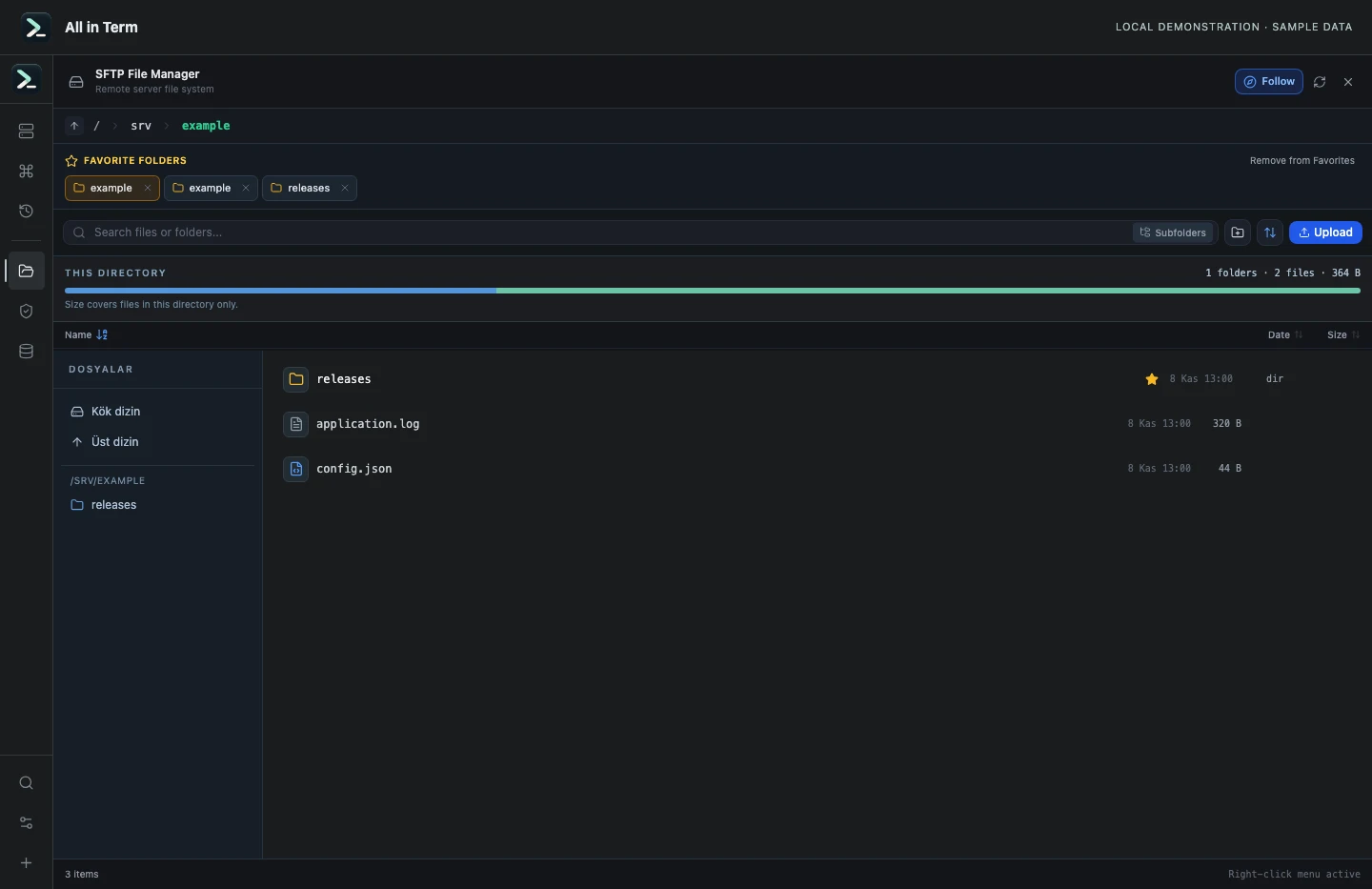
SFTP component with a synthetic remote directory based on temporary local files. Captured 2026-11-08. Open the image to inspect details.
Directories that belong to a host
Save favorite folders for each server and reopen frequently used paths. Choose whether browsing follows the terminal's working directory or keeps an independent location. Similar directory names on different hosts still require a destination check.
Transfers from Finder
Drag files or folders from Finder to the relevant connected workspace and watch progress. Confirm the destination and completion state before using the result. The current transfer flow should not be described as a guaranteed resumable job queue.
Review content before replacement
Compare a local folder with a remote directory, inspect additions and changes, and choose individual or batch push/pull actions. Review deletion decisions separately, and retain an appropriate backup for important service configuration.
Inspect and follow remote text
Open a remote text file in the editor, search or replace content, adjust word wrap and track unsaved changes. For a growing log, live-follow mode reads appended content into a bounded read-only view; stop following before returning to editing.
A practical first workflow
- Connect to the intended remote SSH account and open SFTP.
- Confirm the host and path, then choose terminal-follow or independent navigation.
- Inspect the file or folder differences before the intended transfer.
- Check the destination and the consuming service after completion.
Know the current boundaries
- SFTP is available for a connected remote SSH session, not a local-only terminal tab.
- An elevated interactive terminal does not automatically elevate a separate SFTP channel.
- Transfer resumption, a durable queue and explicit integrity workflows are proposals in the product notes.
Frequently asked questions
Can I keep different favorite folders for different servers?
Yes. Favorite paths are scoped to the saved server so frequently used locations stay attached to their host context.
Can I browse without moving the terminal?
Yes. Independent browsing gives the file view its own path. Terminal-follow mode is available when the two views should stay aligned.
Can I edit and follow a file at the same time?
Live following is a read-only observation mode. Stop following before editing so changes and a growing remote source do not share an ambiguous state.
Does becoming root in the terminal give SFTP the same privileges?
Not automatically. SFTP uses its actual login channel and server permissions. Follow the approved administrative workflow for protected destinations.