
Explore PostgreSQL from Mac without losing the server context.
All in Term provides a PostgreSQL exploration workspace for inspecting a schema, locating a record and reviewing a supported read query. It sits within the surrounding server workflow, so you can move from a database observation to the related terminal or application evidence without presenting the result grid as a complete database administration system.
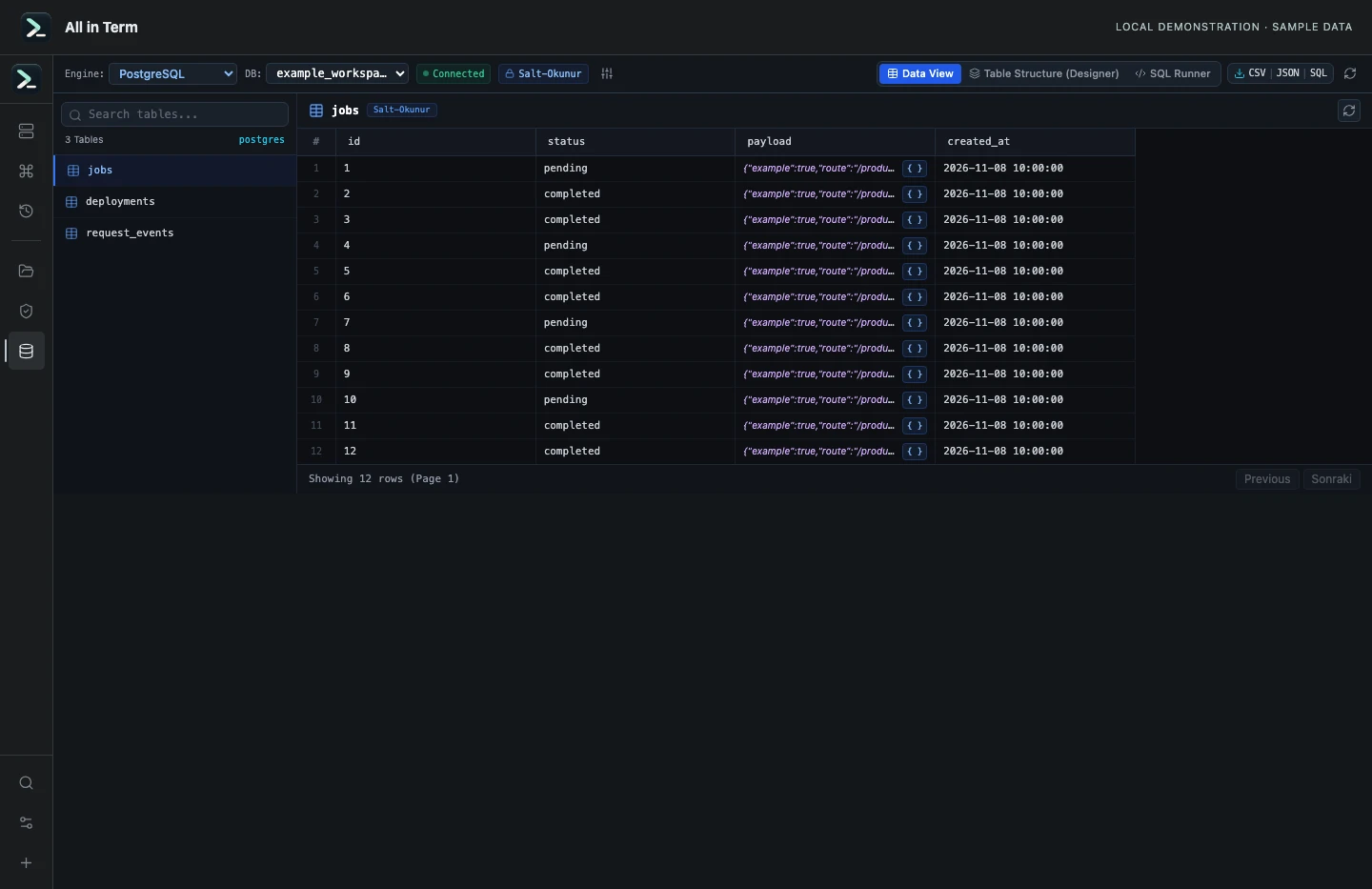
Database component with synthetic PostgreSQL-shaped rows; no database server was contacted. Captured 2026-11-08. Open the image to inspect details.
Credentials are the primary connection flow
Enter the database endpoint, port, user, database name and credentials appropriate to the environment. Optional detection can help, but a database that is not visible to a process scan can still exist. Database credentials may differ from the SSH account.
Structure before content
Inspect columns, keys and indexes, then browse table rows in pages of 50. Narrow the question to useful fields instead of immediately requesting every large document column in the table.
Bounded previews for large values
Compact cells keep JSON, XML and HTML from expanding the grid. Table-preview projections can bound text before transfer, while the client also limits displayed content. A preview is not a guarantee that the complete original value has been retrieved.
Read queries and current-result exports
Use the supported read-query workflow and review the returned result before exporting CSV, JSON or SQL text. Exports reflect the returned rows and values, including any preview limits. Use a separate supported backup process when recoverability or a complete database copy is the goal.
A practical first workflow
- Connect with the database account and endpoint intended for the environment.
- Inspect the schema and select a table or a narrowly scoped read query.
- Review row and value bounds before relying on the result.
- Export the returned result only after checking its scope and receiving format.
Know the current boundaries
- The current UI is a read-query explorer; editable rows and a complete migration workflow are not advertised features.
- Client-side query checks do not replace database permissions. Use an appropriately restricted database account.
- Paged exports and previewed values are not a full database backup.
Frequently asked questions
Can I edit PostgreSQL rows in this interface?
The current interface provides supported read queries and result inspection. Row editing is not offered as a product capability.
Why can a large JSON value appear truncated?
The preview can be bounded before transfer and in the grid. Inspect the returned value and any truncation marker before assuming the full source document is present.
What does the export contain?
It contains the current returned result, rather than an automatic export of every row or the entire original database.
Is SSH authentication enough to access PostgreSQL?
No. The database has its own endpoint, credentials, permissions and connection requirements. Enter the database account intended for the task.