
Redis keys, TTL and memory: investigate your cache without guessing
A careful workflow for finding relevant keys, reading their types and expiration, and connecting cache behavior with application symptoms.

Redis investigations often begin with a deceptively simple question: why is the application returning an old value? The answer might involve a missing expiration, an unexpected key namespace, a different logical database or a request path that never reads the key you inspected. Memory pressure introduces another set of questions about workload and eviction. This guide builds a focused investigation around a fictional product cache. It explains how to read keys and TTL in context, preserve the distinction between observation and mutation, and decide whether the next action belongs in Redis or the application. Example values and the chart are synthetic teaching material.
Confirm the Redis environment before searching
Identify the endpoint, connection security requirements, account permissions and logical database used by the application. A familiar key name in a different environment can produce a convincing but irrelevant result. Compare the application's connection context with the one you are inspecting, and record the time of the observation. If the service uses a managed platform, follow its access policy rather than assuming that a local unauthenticated connection represents production.
In All in Term, open Redis Studio from the intended host context and confirm the relevant connection details. Use a narrow key pattern tied to the reported feature, such as a product namespace, instead of browsing everything immediately. Do not place passwords into shared command snippets or support screenshots. The investigation should identify which cache the application uses without spreading the credentials needed to access it.
Follow a cached value from context to outcome.
- 01
Environment
Confirm endpoint and database.
- 02
Key
Match the application's namespace.
- 03
Value & TTL
Inspect type and expiration.
- 04
Application
Repeat the original request.
Conceptual workflow · follow each check before moving to the next step.
Find a small set of keys with a meaningful pattern
A useful key search begins with the application's naming convention. Ask whether the namespace includes a tenant, region, version or object identifier. Two keys that look similar may intentionally belong to different contexts. If the application team can name the exact key construction rule, use that knowledge to reduce the search. Broad discovery is sometimes necessary, but it should be a deliberate operation with attention to the size of the environment.
When using Redis's cursor-based scan interface, understand that an iteration is not a frozen snapshot of a changing keyspace. Keep the cursor until the iteration completes, and handle repeated results if your workflow collects them. A requested count is a work hint rather than a guaranteed page length. These details matter when a tool builds totals from discovery, but a manual investigation can often avoid the issue by starting with a few known identifiers.
| Observation | Meaning to check | Next question |
|---|---|---|
| Key missing | Absent at observation time | Wrong environment, expiry, eviction or application removal? |
| TTL = -1 | Existing key without expiration | Is persistence intended for this namespace? |
| TTL = -2 | Key is absent | Did the application write the expected key? |
| Positive TTL | Seconds remaining | Does the writer refresh it as designed? |
A cached value has a type and a lifetime.
The hourglass represents an expiration policy. The separate stable capsule represents a key that may intentionally have no expiration.
Observe TTL
Record the key, environment and observation time. Remaining lifetime can change when the application refreshes a value.
Check intent
No expiration is not automatically a defect. Compare the observed state with the namespace's intended role.
Inspect the data type before choosing a value view
Redis stores several data structures, so a key's type determines how its contents should be read. A string may hold serialized JSON, while a hash represents fields and values. Lists and sets support different questions again. Inspect the type before assuming that the value is a single text document. This prevents an apparent display problem from being mistaken for corrupted data when the client simply needs a different representation.
Read only enough content to answer the current question. If a value contains a large document, use a focused inspection and avoid copying it into a broad incident report. Product caches can still include user-specific or internal data. Redact example values before sharing them, and preserve the structural details needed to explain the behavior. A useful reproduction contains the naming rule, data shape and timing without unnecessarily exposing the original payload.

Memory policy needs an application context.
Understand what can be reconstructed and how the application behaves when a value disappears before selecting a cache operation.
Concept illustration, not an application screenshot.Read expiration as a point-in-time observation
TTL describes the remaining expiration interval for a key at the moment you inspect it. A value of minus one indicates that the key exists without an expiration, while minus two indicates that the key is absent. Positive values describe seconds remaining. Interpret those outcomes with the application's intended policy. A persistent key can be appropriate for one purpose and surprising for a temporary cache entry.
Repeat the observation only when it answers a specific timing question. If the application refreshes or replaces the key, the TTL may change between reads. Record the key identity, observation time and relevant application action. Changing expiration to make the current screen look correct can hide the underlying behavior. First determine whether the writer, refresh policy and key naming rule agree with the cache design the application team expects.
TTL states in a fictional sample of 100 cache keys
Unit: keys in reviewed sample. Synthetic example values, not production measurements.
Bars start at zero and share the same linear scale. Exact values are printed alongside each bar.
Separate expiration, eviction and application invalidation
These mechanisms can all lead to a missing cached value, but they answer different questions. Expiration follows a key's time policy. Eviction relates to the configured memory policy and pressure. Application invalidation reflects explicit application behavior. Do not treat an absent key as proof that one particular mechanism caused it. Compare the observation with available metrics and the code path responsible for writing and removing that namespace.
If users report inconsistent freshness, examine whether different application instances use the same namespace and refresh policy. A deployment that changes serialization or key versioning can make an old and new population coexist. The synthetic chart below illustrates a fictional distribution of observed TTL states for a small reviewed sample. It does not estimate a production cache's correctness, and its proportions should not become a target without understanding the sampled workload.
Connect memory concerns with the cache's purpose
Memory growth deserves a workload explanation. Ask which namespaces grow, how long their data should live and whether the application can reconstruct a missing value. A cache used for reconstructible product data has different operational consequences from a Redis deployment holding important coordination state. Before changing a memory or eviction setting, clarify which role the instance serves and who owns its recovery behavior.
Do not assume that deleting a large group of keys is the safest way to reduce pressure. A sudden loss of cached data can increase work on the database or another dependency. Review the expected regeneration pattern and the application's fallback behavior. Prefer a measured plan with a small scope, an observation window and a way to stop if downstream load rises. The right action may be an application fix rather than a Redis setting.

Separate key lifetime from memory pressure.
The two mechanisms distinguish a time policy from a memory-pressure policy. This is a conceptual illustration, not a literal Redis internal diagram.
Expiration
Investigate when a writer assigns or refreshes a key's time policy.
Eviction
Review instance pressure, configured policy and application recovery behavior before selecting an action.
Verify the application behavior after a justified change
Once the evidence identifies the issue, agree on the smallest correction. That could mean changing the application writer, adjusting an intended TTL policy or correcting a connection to the wrong environment. Record the existing state before any mutation, and follow the team's change procedure. A convenient key editor is a tool for an authorized operation, not evidence that the operation is appropriate.
Afterward, repeat the original application request and inspect the relevant key again. Confirm the value, its type and its expiration in the same environment. Observe whether the downstream service remains healthy while the cache repopulates. Save the useful read-only checks as clearly named snippets, and document the naming convention that made the investigation possible. All in Term keeps key discovery, value inspection and the surrounding server context close together so the investigation can retain its purpose from start to finish.
Inside the application: a scoped local example
This capture uses the shipped UI component in an isolated renderer. The host, files and service data are demonstrations, not a production session. It illustrates the surrounding workflow; it does not verify every service-specific command in this guide.
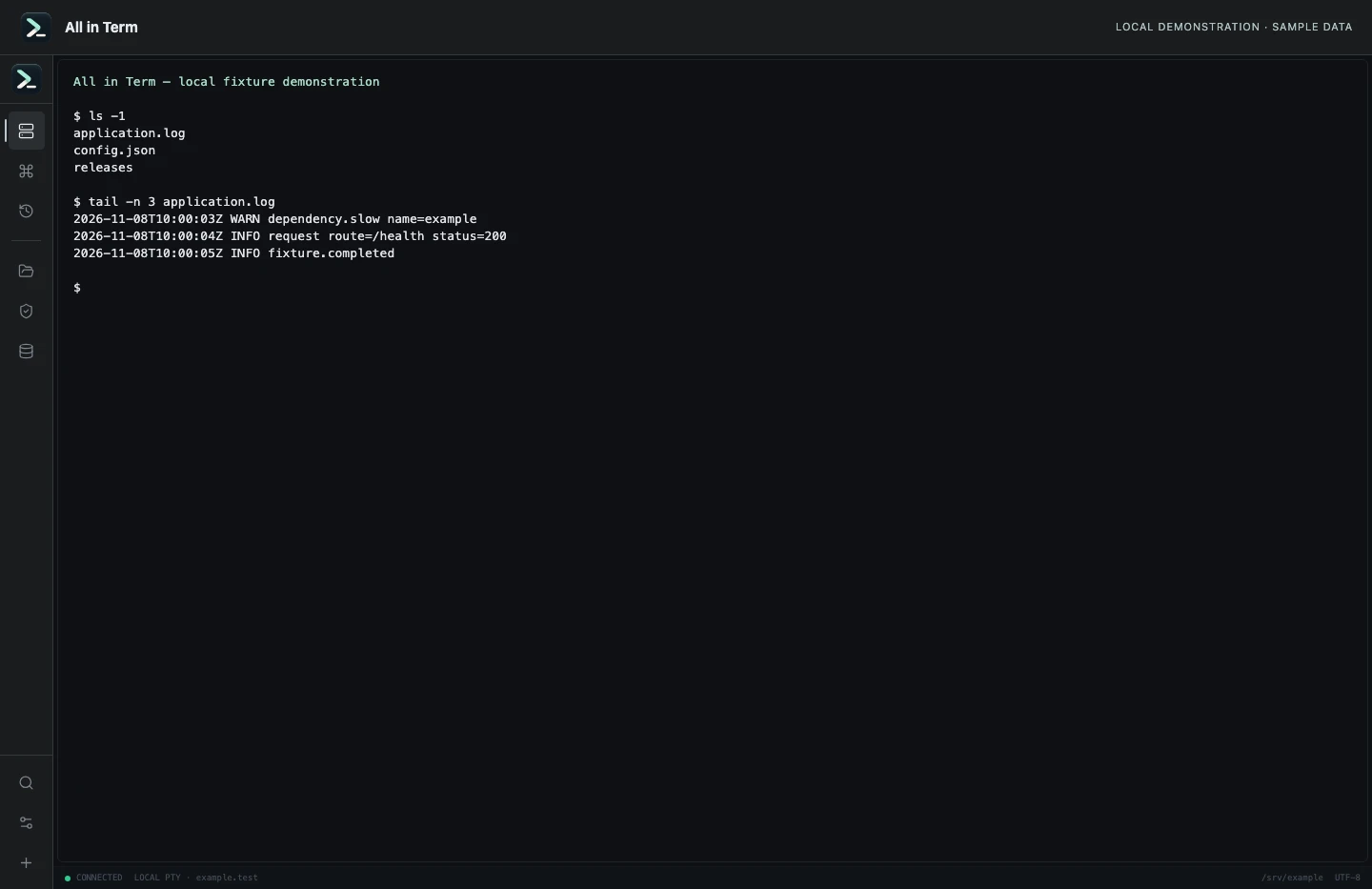
Local terminal view with command output recorded from an isolated temporary directory. Captured 2026-11-08. Open the image to inspect details.
List an isolated example directory
Executed /bin/ls against a newly created temporary directory.
Executed check
ls -1Recorded output
application.log
config.json
releases
Recorded 2026-11-08. Executed locally against synthetic fixtures. No production host or database was contacted. Read the recorded checks.
A small command example
Read the comments, confirm the active host and adapt any example names to your environment before running commands.
# Inside an authenticated Redis CLI session
# Replace this illustrative key with your own
TYPE product:example:summary
TTL product:example:summary
# Discover a narrow namespace; continue returned cursors as needed
SCAN 0 MATCH product:example:* COUNT 25
Further reading
Official documentation for the underlying tools. The workflows and synthetic examples above are editorial guidance, not performance claims.